
Call (604) 849-8461 info@ctrlaltnetworks.com

Advanced Network Management

Network management services for Metro Vancouver businesses

When the network is slow, everything is slow. We design, configure and monitor your routers, switches, firewalls and Wi-Fi so your office stays connected, remote staff can work securely, and problems get fixed before they spread.

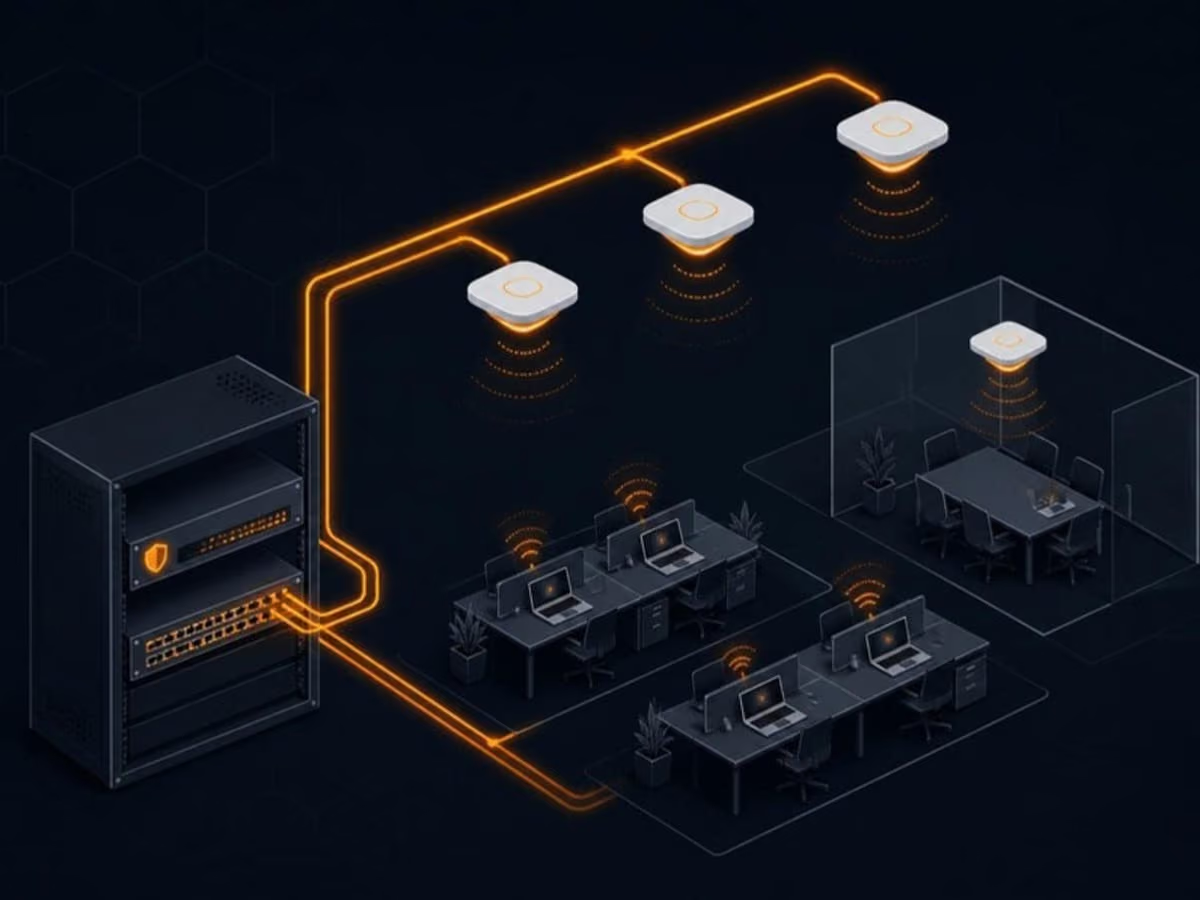
Illustration: network management for a small business

What’s included

What you get with network management

  • 24/7 proactive network monitoring

    Real-time alerts for outages, overloaded links, failing hardware and unusual traffic, watched by our team around the clock.

  • Router, switch and firewall configuration

    Professional setup and ongoing management of your network equipment, with changes documented and configurations backed up.

  • VPN and secure remote access

    Safe connections for staff working from home or on the road, without exposing your office network to the internet.

  • Bandwidth optimisation and traffic shaping

    Video calls and business apps get priority over large downloads and streaming, so the important stuff stays smooth.

  • Wireless network management

    Business-grade Wi-Fi with proper coverage, separate guest networks and centralised management across one office or several.

  • Fast troubleshooting

    When something goes wrong, we find the root cause quickly, whether it's a cable, a switch port, a misconfiguration or your internet provider.

Your network is the foundation for everything else

Cloud apps, video calls, phone systems, card terminals, printers and security cameras all depend on the network. When it’s poorly designed or unmanaged, you get the classic symptoms: Teams calls that freeze, Wi-Fi that drops in the boardroom, a shared printer that disappears, and an internet connection that feels slow even though you pay for a fast plan.

Many small offices end up with a network that grew by accident. A consumer router from the internet provider, a switch someone bought at a big-box store, a couple of Wi-Fi extenders and cables nobody has labelled. It works, mostly, until it doesn’t. Our network management service replaces guesswork with a properly designed, documented and monitored network that’s optimised for speed, security and uptime.

Proactive monitoring means fewer surprises

Every important device on your network reports its health to our monitoring platform: firewalls, switches, wireless access points, internet connections and servers. We track uptime, bandwidth use, errors and temperature, and we get alerted the moment something looks wrong.

That means we often know about a problem before you do. If your internet connection drops at 6 a.m., we can already be on the phone with your provider by the time staff arrive. If a switch starts logging errors, we can replace it on a Friday evening instead of during your busiest Monday.

Business Wi-Fi done right

Good Wi-Fi is about design, not just buying expensive access points. We look at your floor plan, walls, the number of people and devices, and the neighbouring networks competing for airtime. Then we recommend the right number of access points and where to mount them.

  • Separate networks for staff, guests and devices such as printers, cameras and card terminals, so a visitor’s phone can never see your file server.
  • Centralised management so settings stay consistent and updates roll out everywhere at once.
  • Fast roaming so laptops and phones hand off cleanly between access points as people move around the office.
  • Coverage for tricky buildings, including older heritage buildings, warehouses and multi-floor offices.

Secure remote access

Remote and hybrid work is here to stay, but opening your network to the internet carelessly is one of the most common ways businesses get breached. We set up secure VPN or zero-trust style access with multi-factor authentication, so staff can reach the files and applications they need from home without exposing everything else.

Bandwidth that goes where it matters

When one person starts a large cloud backup or someone streams video, everyone else’s calls can suffer. Traffic shaping and quality of service settings keep voice and video calls, point-of-sale systems and your line-of-business apps smooth, even when the connection is busy. If you have two internet connections, we can configure automatic failover so a provider outage doesn’t take the whole office offline.

Planning for growth

Networks need to scale as your business grows, with new hires, a second floor or another location. Our scheduled reviews look at capacity, ageing hardware and upcoming needs, so upgrades are planned and budgeted rather than emergencies. When you move offices, we handle the network design, cabling coordination, internet installation and cutover, so you walk into a working office on day one.

How it works

How network management works with us

  1. Step 1: Assess and document

    We map your current network, including equipment, cabling, internet connections and Wi-Fi coverage, and document it properly.

  2. Step 2: Secure the baseline

    Firmware gets updated, default passwords removed, access controls tightened and security settings applied.

  3. Step 3: Monitor continuously

    Monitoring tools watch every critical device and send real-time alerts to our team.

  4. Step 4: Review and report

    Scheduled reviews cover performance, capacity and upcoming hardware that's nearing end of life.

  5. Step 5: Respond quickly

    Issues are investigated and fixed remotely where possible, with on-site visits when hardware needs attention.

FAQ

Advanced Network Management: common questions

Can't find your question? Call us or send a message and a real person will get back to you.

What does network management include?

It covers monitoring, troubleshooting, secure remote access, hardware setup and ongoing optimisation of your routers, switches, firewalls and Wi-Fi, so your business network keeps running reliably.

Is network security part of network management?

Yes. Firewall management, VPN setup, firmware updates and proactive monitoring for threats are all included. For deeper protection, like endpoint security and staff training, see our cybersecurity services.

Can you manage both wired and wireless networks?

Yes. We support routers, switches, cabling and business Wi-Fi systems, from a single small office to organisations with several locations.

Why is our office Wi-Fi so slow?

Common causes include consumer-grade equipment, access points in the wrong place, interference from neighbouring networks, too many devices on one access point, or an internet connection that's simply too small. A Wi-Fi assessment pinpoints the cause so you don't buy hardware you don't need.

Do we need a business firewall?

If you have staff, client data and an internet connection, yes. The router supplied by your internet provider isn't designed to protect a business. A managed firewall adds threat filtering, secure VPN access, logging and control over what's allowed in and out.

Can you connect multiple office locations?

Yes. We set up secure site-to-site connections so staff in different offices can share files, printers and applications as if they were in one building.

Related services

Get in touch

Talk to us about network management

Tell us a little about your business and what’s going on. We’ll get back to you the same business day with next steps, or just call if it’s urgent.

Send us a message

We only use your details to reply. See our privacy policy.